05 - Automation, CLI, APIs & Security
Logging into a Graphical Interface to trigger builds defeats the true philosophy of infrastructure automation. For massive-scale environments, Jenkins exposes headless access via its CLI and REST APIs natively.
Jenkins Command Line Interface (CLI)
You can remote control Jenkins from any terminal by downloading its standalone Java CLI package.
- Obtain the CLI jar directly from your server instance:
wget http://jenkins-url:8080/jnlpJars/jenkins-cli.jar - Execute Commands: Once downloaded, you authenticate via token to trigger builds, install plugins, or restart the server.
java -jar jenkins-cli.jar -s http://<jenkins-url>:8080/ -auth admin:<token> build "parameterized-pipeline-job"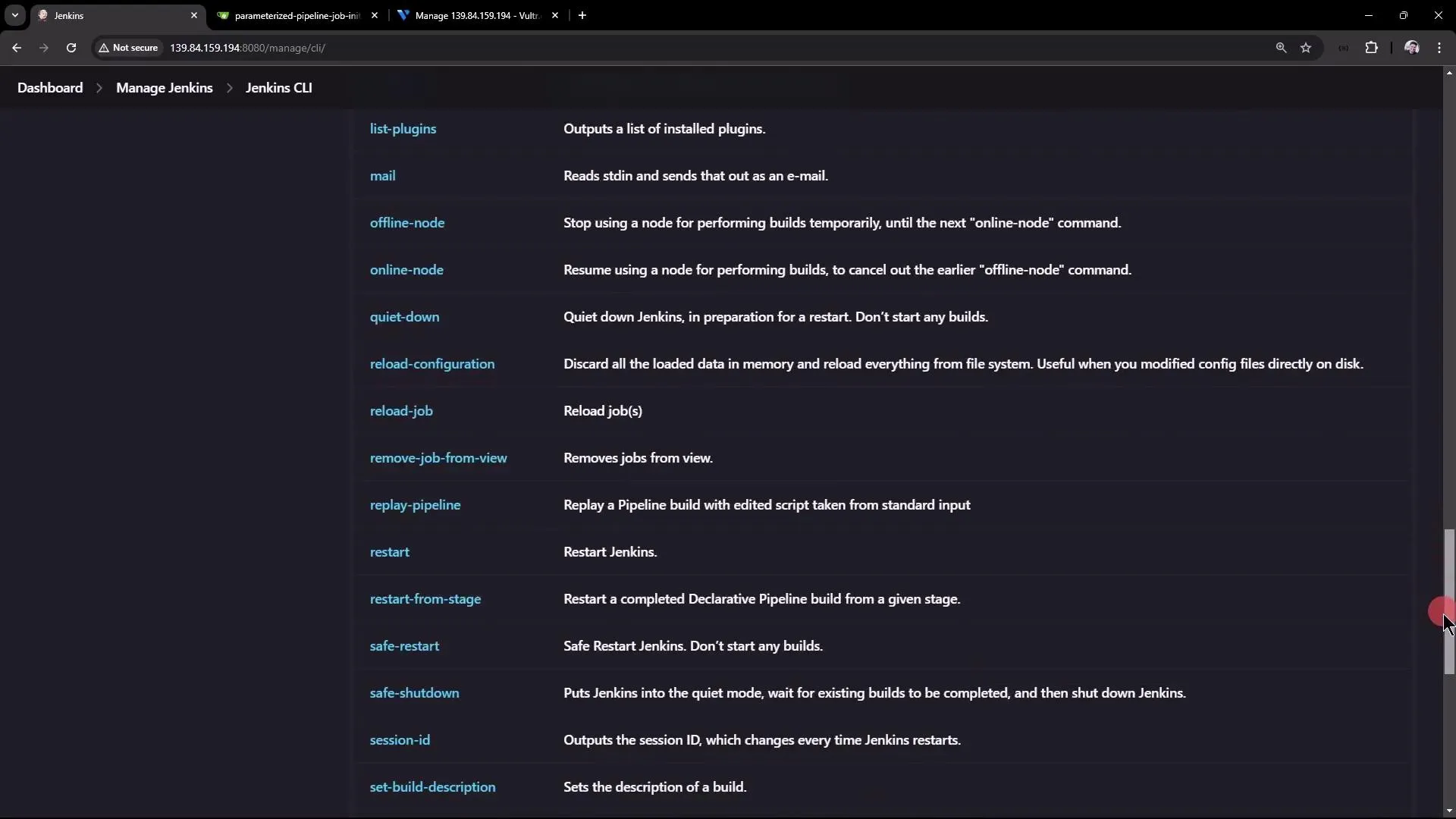
Jenkins REST APIs
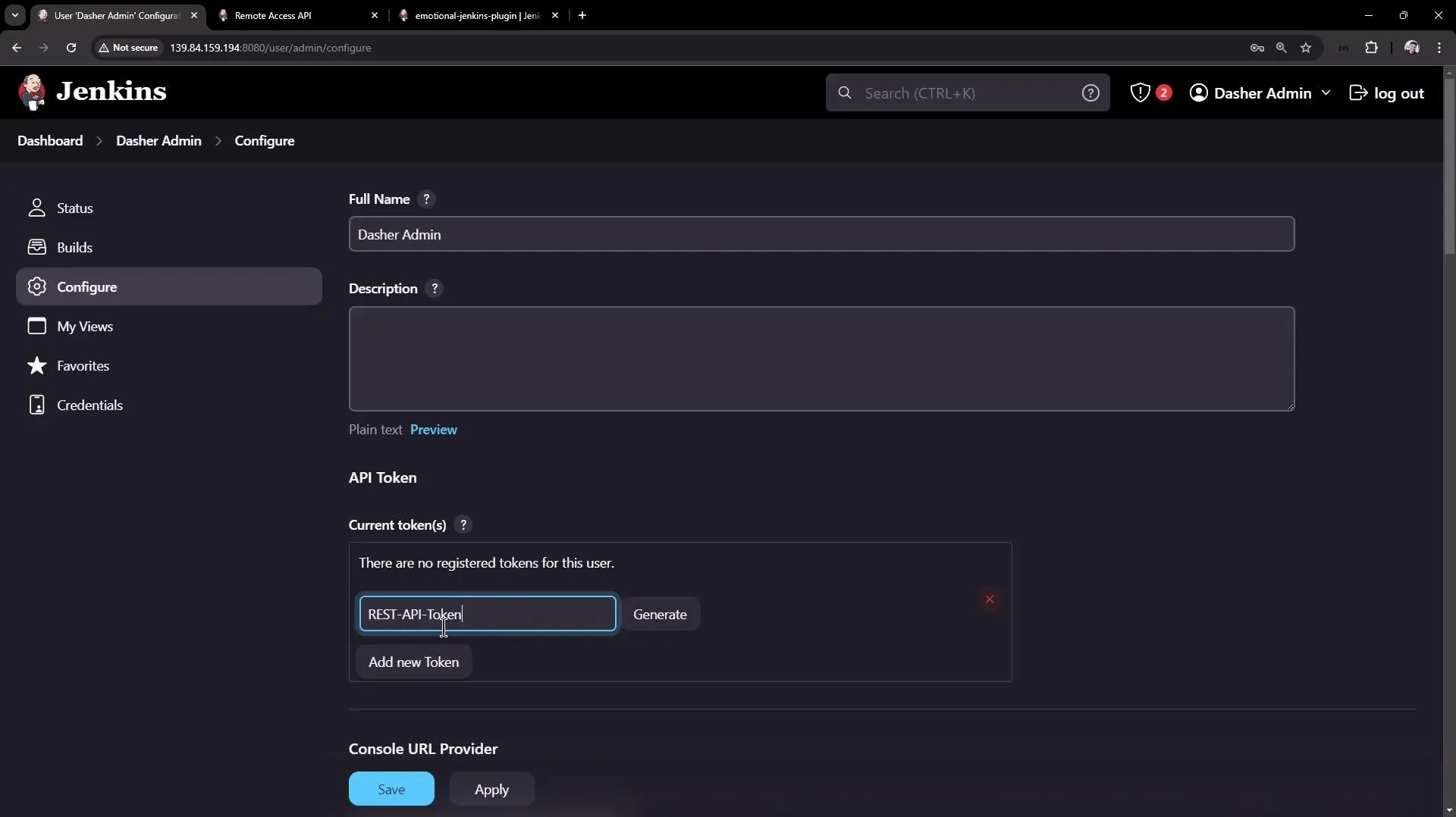
For dynamic scripting (Python, cURL, third-party apps), Jenkins provides structured REST API endpoints outputting heavily detailed JSON matrices.
- Fetch Job details:
curl http://jenkins:8080/api/json?tree=jobs[name] - Trigger a Parameterized Build natively via POST request:
curl -u admin:<api-token> -X POST http://jenkins:8080/job/test-job/buildWithParameters -d BRANCH_NAME=mainUnderstanding CSRF Tokens (Crumb)
Modern Jenkins strictly enforces Cross-Site Request Forgery (CSRF) protection. If you trigger APIs solely via passwords instead of an actual API token, Jenkins will heavily block arbitrary POST endpoints unless you attach a dynamic session “Crumb Header” fetched securely first. Using standard generated User API Tokens completely bypasses this friction.
Security Architecture & Authorization
By default, an initial Jenkins setup handles permissions simplistically. At scale, strict separation of duties requires plugins.
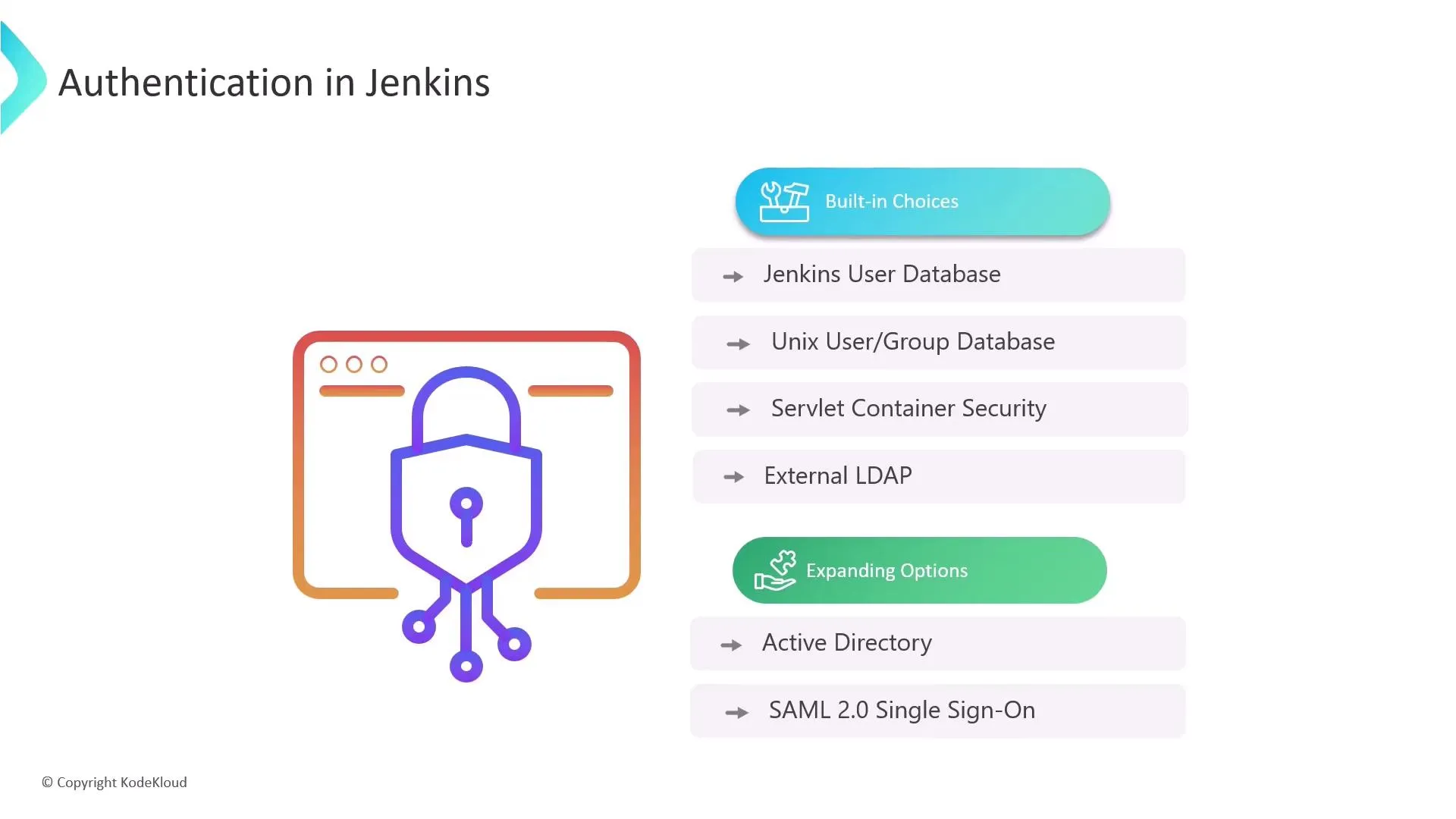
Authentication (Who are you?): Jenkins can natively store users internally, but production environments securely hook this into enterprise LDAP/Active Directory or SSO providers.
Authorization (What can you do?): To lock down features per-user precisely, you must install the Matrix Authorization Strategy Plugin.
The Matrix Authorization Plugin
This unlocks a strict grid topology spanning the entire system allowing mapping of precise rules to Groups rather than fragile individual users:
| Group | Access Scope | Best Practice Assignment |
|---|---|---|
| Admin | Full Systems | Total architectural control (installing plugins, modifying core nodes, executing raw scripts). |
| Manager | Read-Only View | Strictly audit logs/metrics. No build/edit capabilities. |
| QA / Tester | Execution Only | Can explicitly push "Build" to test environments but inherently banned from tweaking Pipeline configurations. |
| Developer | Orchestration | Read, setup workflows, create credentials, but restricted from wiping architectures. |
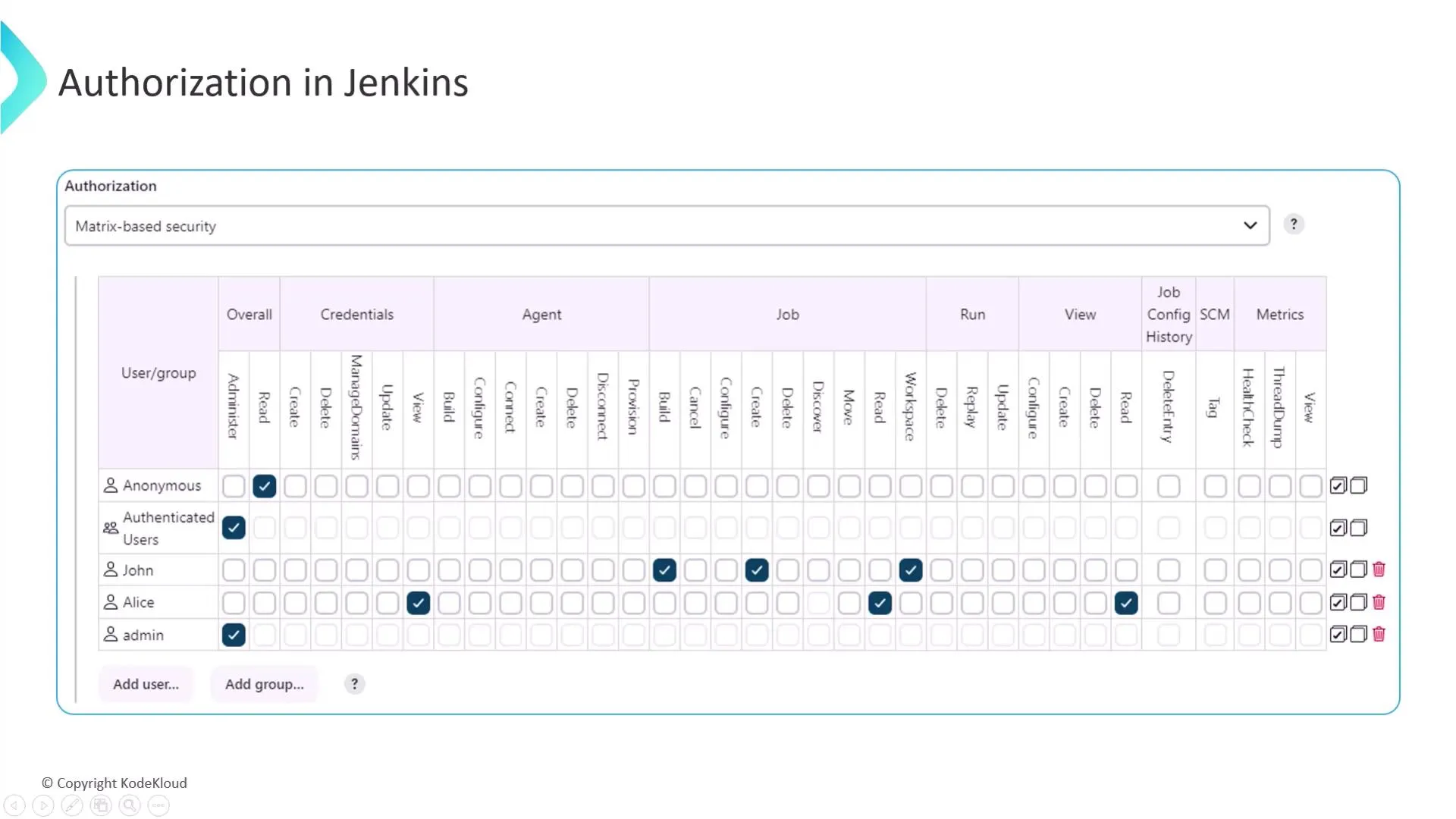
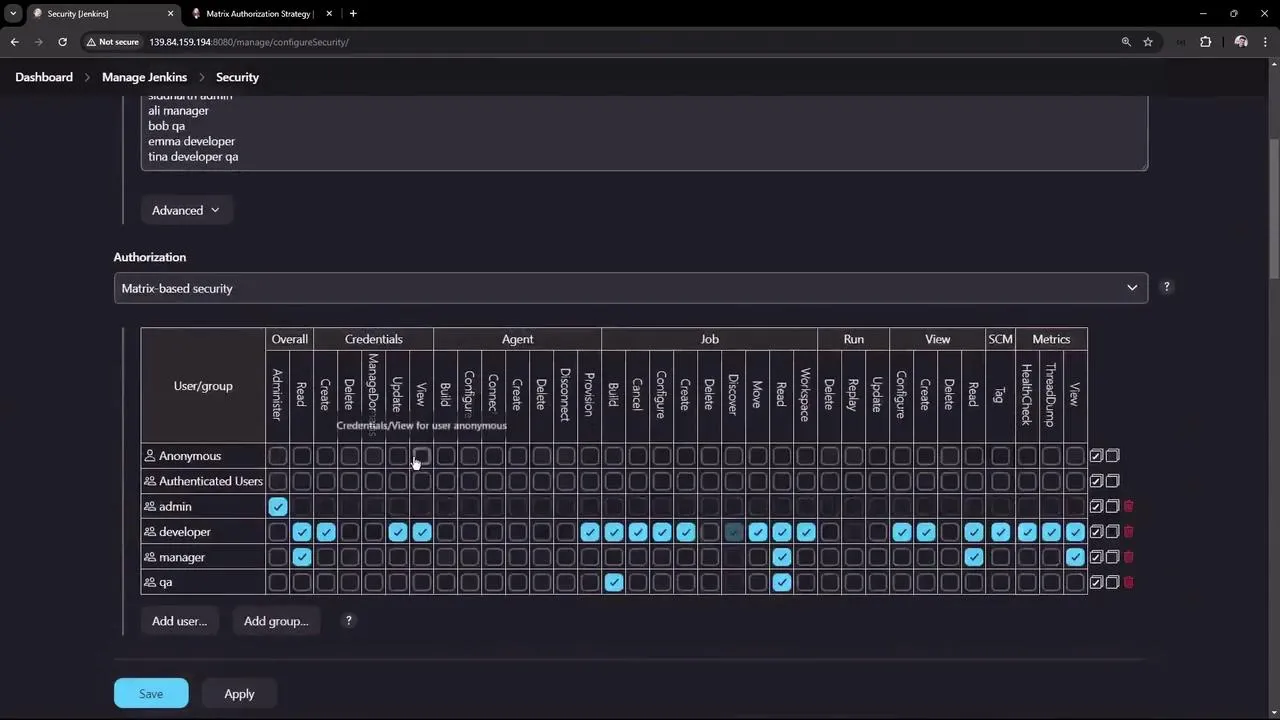
Important Setup Rule: Ensure the “Overall Read” permission block is strictly disabled for Anonymous users. Exposing pipelines publicly invites vast security leaks of internal repository logic.
Credentials & Secrets
- Prefer Jenkins credentials +
withCredentialsbinding in the pipeline over hard-coding tokens or passwords. - For Kubernetes or cloud deployments, use the appropriate plugin and short-lived tokens where possible rather than permanent static credentials.