04 - Jenkins Pipelines & SCM Integration
As your automation needs scale, configuring multi-stage Freestyle Projects in the web GUI becomes brittle and impossible to formally version control or review.
Enter Jenkins Pipelines.
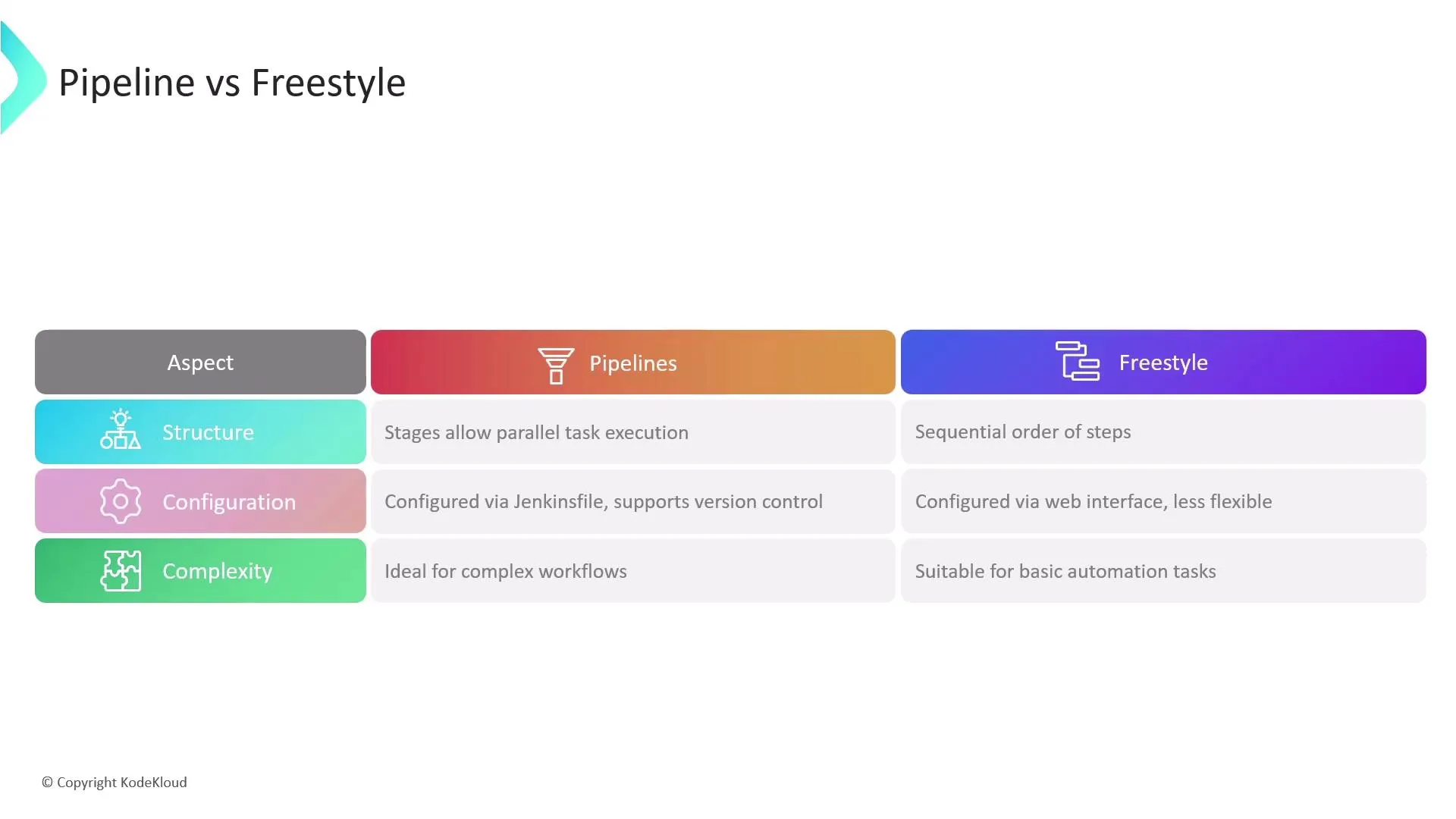
Pipelines allow you to define your entire build process natively in code using a file called a Jenkinsfile (written in Groovy syntax). This file lives directly inside your source repository.
The Advantages of Pipeline as Code
- Version Control: Your pipeline logic is checked into Git. Developers can review the pipeline changes via Pull Requests alongside code changes.
- Resilience: If the Jenkins Controller crashes mid-build, Pipeline projects actually remember their state and can resume automatically when Jenkins boots back up—unlike Freestyle projects which permanently fail.
- Advanced Flow Control: You can implement complex parallel execution, loops, and conditional logic.
Constructing a Jenkinsfile
A standard declarative pipeline defines different stages. Each stage contains steps that map directly to shell commands or Jenkins plugins.
pipeline { agent any tools { maven 'M398' // Uses the global Maven configuration installed via Jenkins Tools } stages { stage('Build') { steps { sh 'mvn clean package -DskipTests=true' archiveArtifacts 'target/*.jar' } } stage('Test') { steps { sh 'mvn test' junit(testResults: 'target/surefire-reports/*.xml', keepTestNames: true) } } stage('Deploy') { steps { sh 'java -jar target/*.jar > /dev/null &' } } }}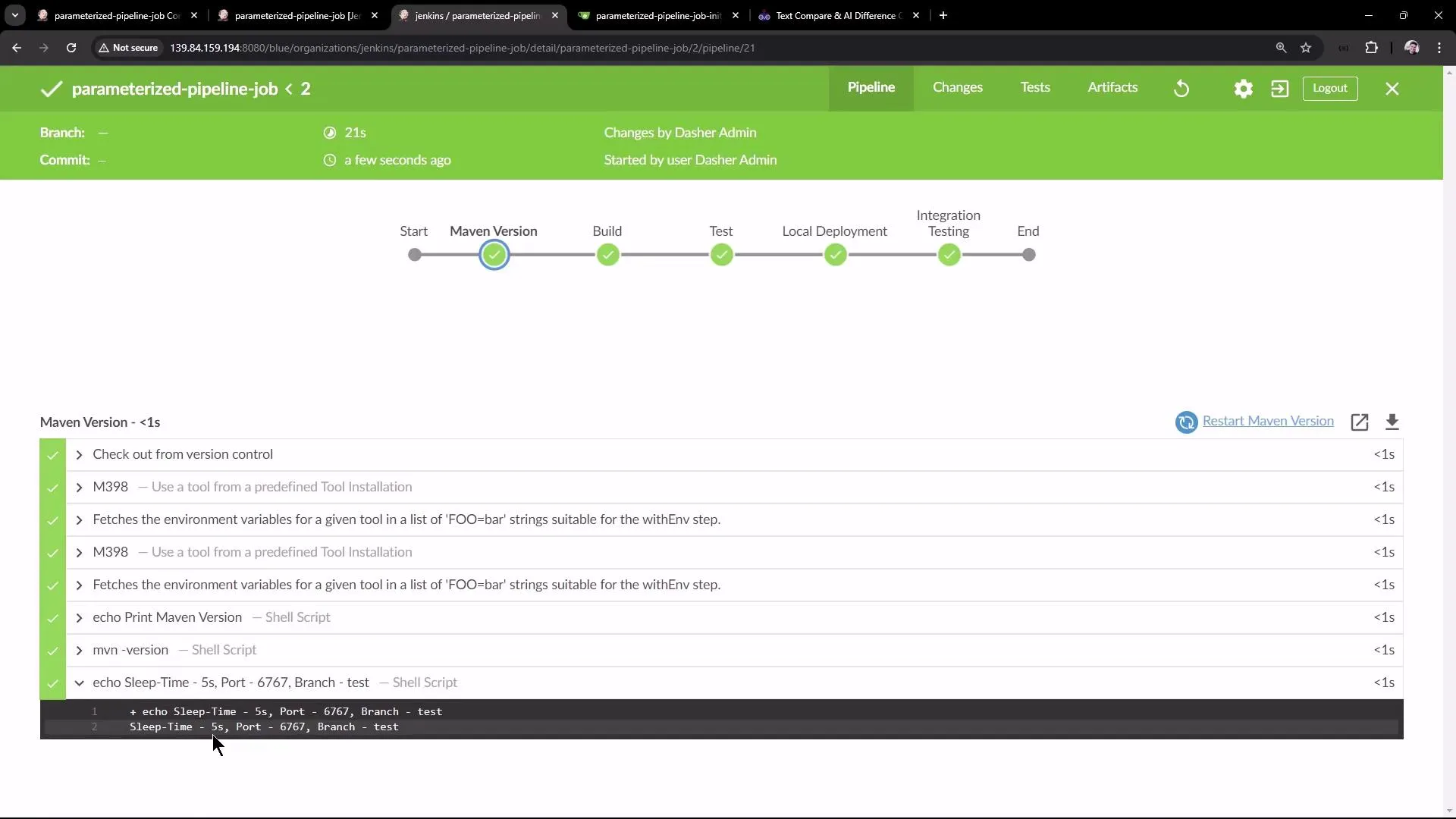
Parameterizing Pipelines
Static pipelines limit reusability. You can convert hardcoded variables (like which branch to pull, or which server port to deploy on) into dynamic Parameters.
When you configure a Parameterized Pipeline (for instance, creating a String Parameter named BRANCH_NAME), you can reference it inside your script securely using ${params.BRANCH_NAME}:
stage('Fetch Code') { steps { sh "echo Deploying branch: ${params.BRANCH_NAME}" }}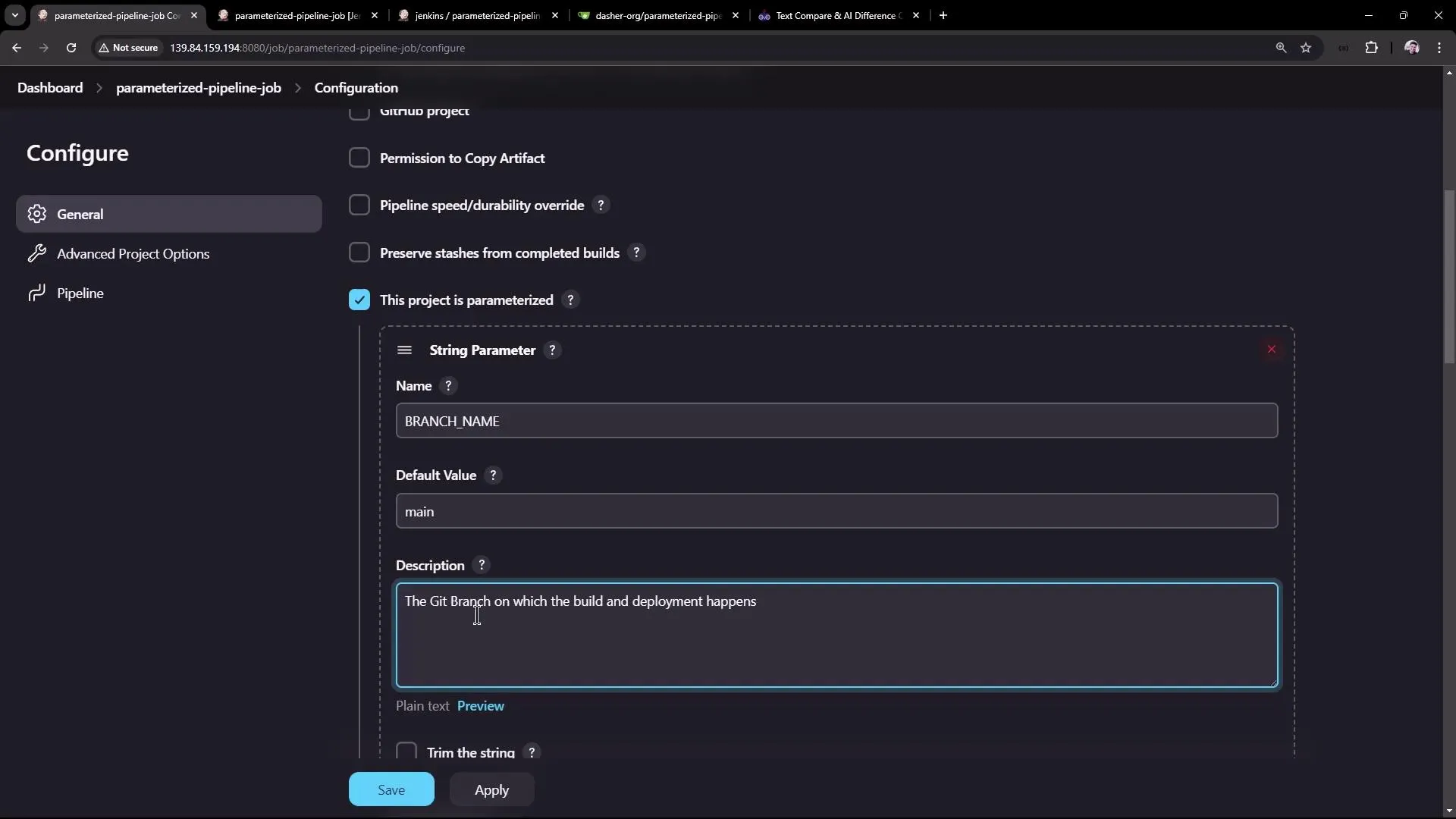
Important: Always use double quotes (
") around shell commands (sh) in your script when injecting variables. Single quotes (') disable dynamic variable evaluation.
Enhanced Visualization
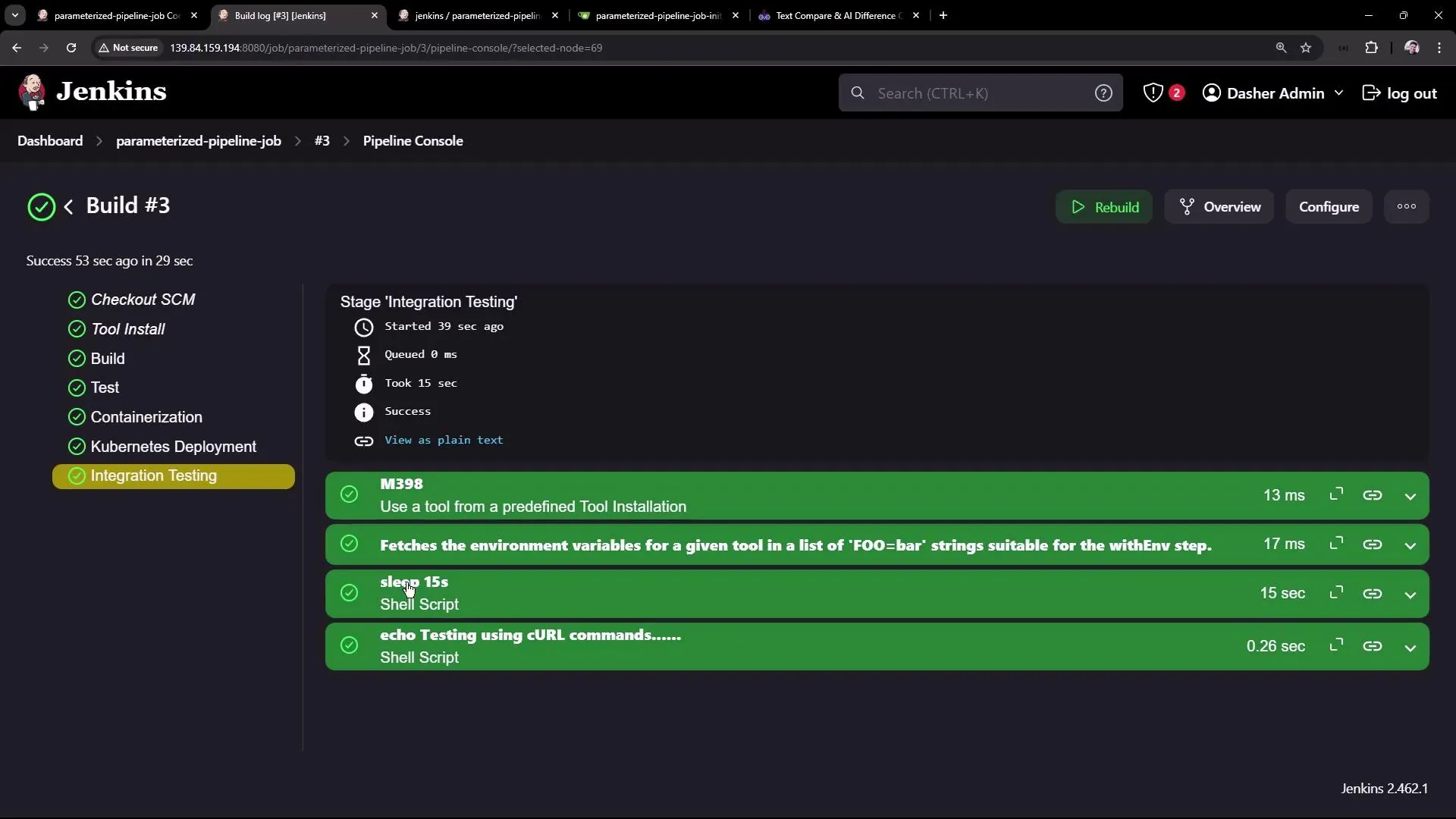
While standard Jenkins provides a readable console log, complex pipelines benefit heavily from Jenkins Blue Ocean. Blue Ocean is a plugin that completely revamps the pipeline visual interface, mapping out sequential and parallel branches cleanly with simple pass/fail diagnostics.
Jenkinsfile Syntax Basics (Declarative)
The declarative pipeline uses a fixed top-level structure with specific sections. Every section is optional except agent and stages.
pipeline { agent { ... } // where to run environment { ... } // env vars options { ... } // job-level settings parameters { ... } // runtime inputs triggers { ... } // schedule or webhook stages { stage('name') { when { ... } // conditional steps { ... } // actual work post { ... } // stage-level post actions } } post { ... } // pipeline-level post actions}Common Sections
agent— where to run:agent any(first available executor),agent { label 'linux' }(specific label),agent { docker { image 'node:20' } }(spin up a container).environment— env variables: Define vars available as$APP_ENVinshsteps or${env.APP_ENV}in Groovy expressions.options— job-level settings: Such astimeout(time: 30, unit: 'MINUTES'),disableConcurrentBuilds().triggers— when to run automatically:cron('H 2 * * 1-5')(nightly),pollSCM('H/5 * * * *'),githubPush().when— conditional stages:when { branch 'main' }or checking environment variables.post— actions after a stage or pipeline finishes: Blocks likealways,success,failure,cleanup, useful for notifications (slackSend,mail) or deleting workspace (deleteDir()).parallel— run stages at the same time:stage('Test in parallel') {parallel {stage('Unit tests') { steps { sh 'npm run test:unit' } }stage('Lint') { steps { sh 'npm run lint' } }}}script— drop into raw Groovy inside declarative: Allows executing native Groovy commands inside declarative steps.
Common Built-in Steps
| Step | What it does |
|---|---|
sh 'cmd' | Run a shell command (Linux/macOS) |
bat 'cmd' | Run a batch command (Windows) |
checkout scm | Clone the repo at the triggering revision |
echo 'msg' | Print a message to the console log |
withCredentials([...]) | Bind Jenkins credentials to env vars in a block |
archiveArtifacts 'dist/**' | Save files as build artifacts |
junit 'reports/**/*.xml' | Publish JUnit test results |
stash / unstash | Pass files between stages or agents |
input 'Approve?' | Pause and wait for a human to click OK |
error 'msg' | Fail the build immediately with a message |
Declarative vs Scripted Pipelines
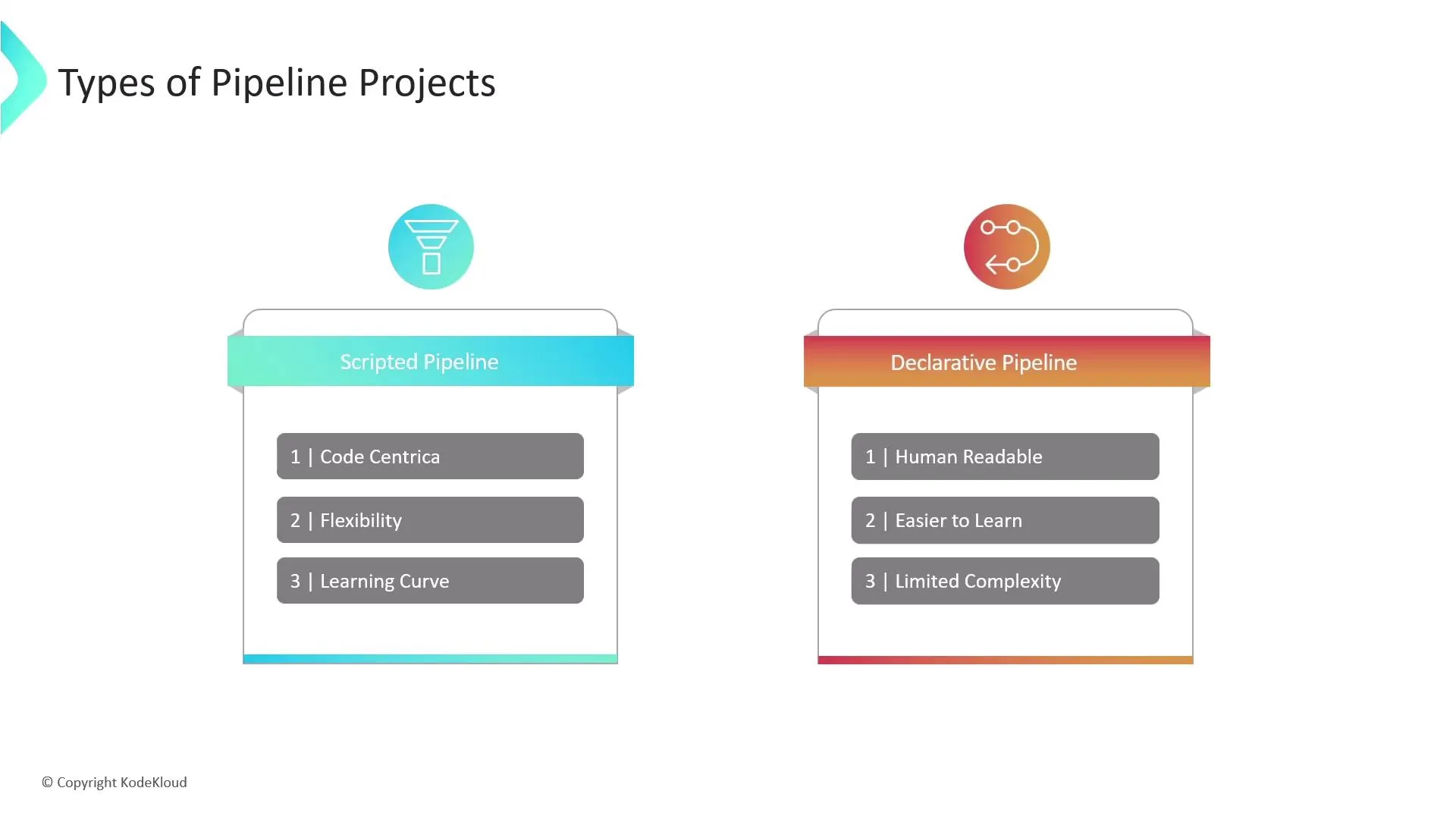
Pipelines are written in Groovy, but Jenkins offers two distinct styles.
| Feature | Declarative | Scripted |
|---|---|---|
| Syntax | Wrapped in a top-level pipeline { ... } block with required agent, stages, and steps. | Uses node { ... } blocks; you define stages and call steps as flat Groovy code. |
| Structure | Opinionated: Jenkins strictly validates the shape; built-in sections for post, environment, options, when. | Free-form Groovy: You can use if/else, loops, and standard programming control structures anywhere. |
| Learning Curve | Easier for teams that want a standard layout, guardrails, and readability. | Steeper curve, but better when you need complex programmatic flow or highly dynamic stages. |
| Extensibility | script { ... } block inside steps allows escaping into raw Groovy when needed. | Everything is already script-style, no escape blocks needed. |
Code Comparison
Here is the exact same continuous integration workflow written in both styles to demonstrate the structural differences.
Declarative Version
This is the modern, recommended approach. Notice the strict hierarchy of pipeline > stages > stage > steps.
pipeline {    agent any
    stages {        stage('Checkout Code') {            steps {                checkout scm            }        }
        stage('Install Dependencies') {            steps {                sh 'npm install'            }        }
        stage('Run App') {            steps {                // Stop any previous instance                sh 'pkill -f "node app.js" || true'
                // Start in background                sh 'nohup node app.js > app.log 2>&1 &'
                // Wait (shorter sleep for demonstration)                sleep 5
                // Check if responding                sh 'curl http://localhost:3001 || echo "App is not responding!"'            }        }    }}
Scripted Version
This is the older, flexible approach. It requires less vertical boilerplate because it drops the steps wrapper and doesn’t require a strict overarching stages block.
node {    stage('Checkout Code') {        // No 'steps' or 'script' block needed        checkout scm    }
    stage('Install Dependencies') {        sh 'npm install'    }
    stage('Run App') {        // Stop any previous instance        sh 'pkill -f "node app.js" || true'
        // Start in background        sh 'nohup node app.js > app.log 2>&1 &'
        // Wait (shorter sleep for demonstration)        sleep 5
        // Check if responding        sh 'curl http://localhost:3001 || echo "App is not responding!"'    }}
Best Practice: Prefer declarative for new
Jenkinsfiles unless you have a concrete reason that requires scripted flow (e.g., heavy dynamic logic, reusing complex legacy scripts, or building stages dynamically inside aforloop).