02 - Architecture, Setup, & Projects
After grasping the core theory of CI/CD, the next step is installing Jenkins and launching projects.
Jenkins Architecture
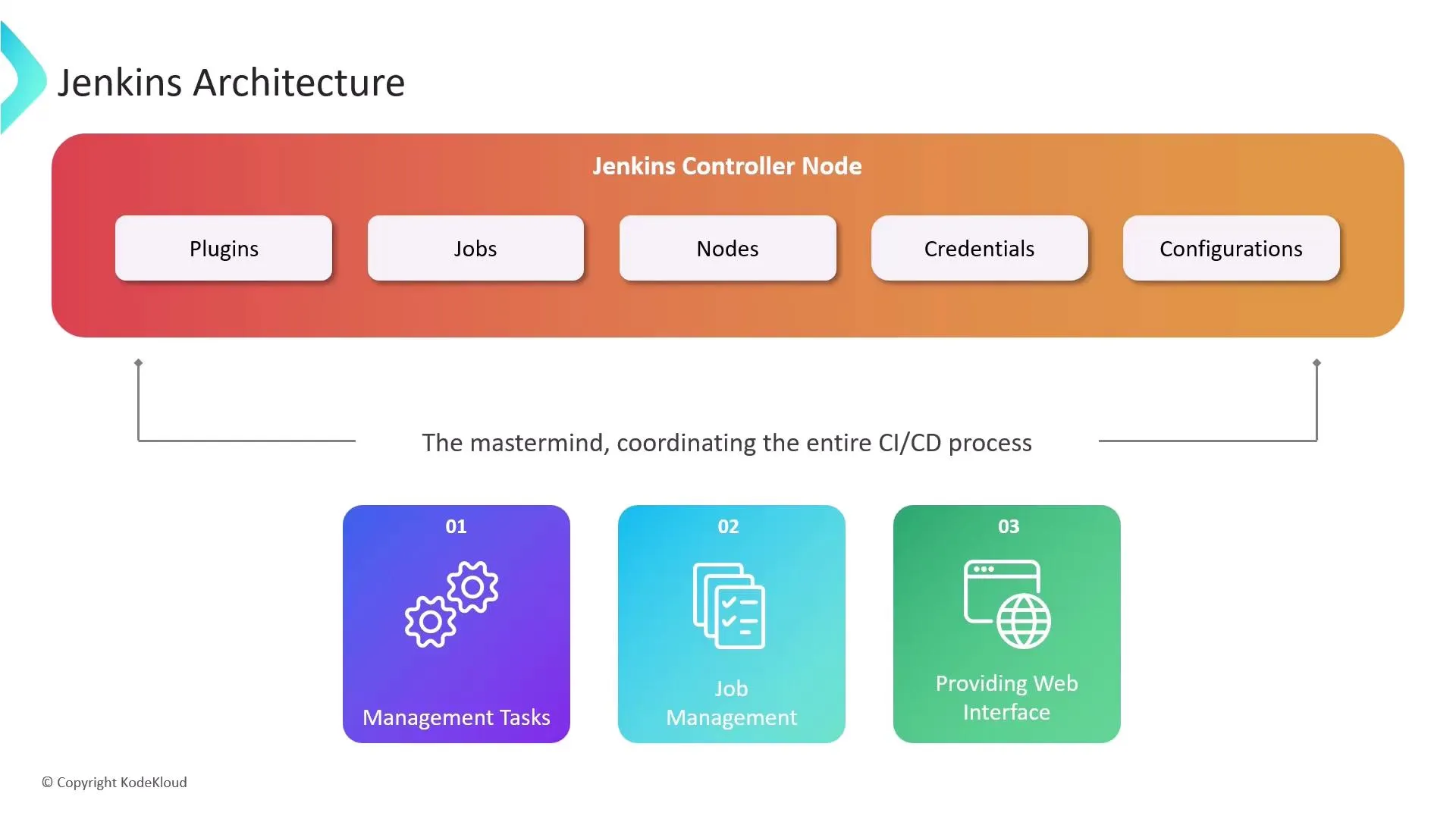
Jenkins is designed using a distributed architecture to handle heavy CI/CD workloads efficiently:
- Jenkins Controller (Master): The central brain. It handles the web UI, schedules build jobs, dispatches builds, and monitors agents. It should not run heavy workloads.
- Nodes/Agents (Slaves): Dedicated worker machines (Linux, Windows, Docker containers) that execute the actual heavy lifting (building, testing, deploying).
Naming You Will See
| Term | Meaning |
|---|---|
| Agent | Current Jenkins term for a worker that runs builds. |
| Node | Any machine entry in Jenkins (controller + agents). |
| Executor | One concurrent build slot on a node (you can set several per agent). |
| Label | Tag used in pipelines (agent { label 'docker' }) to pick agents. |
| Slave | Deprecated old name for agent — avoid in new docs. |
Installation Methods
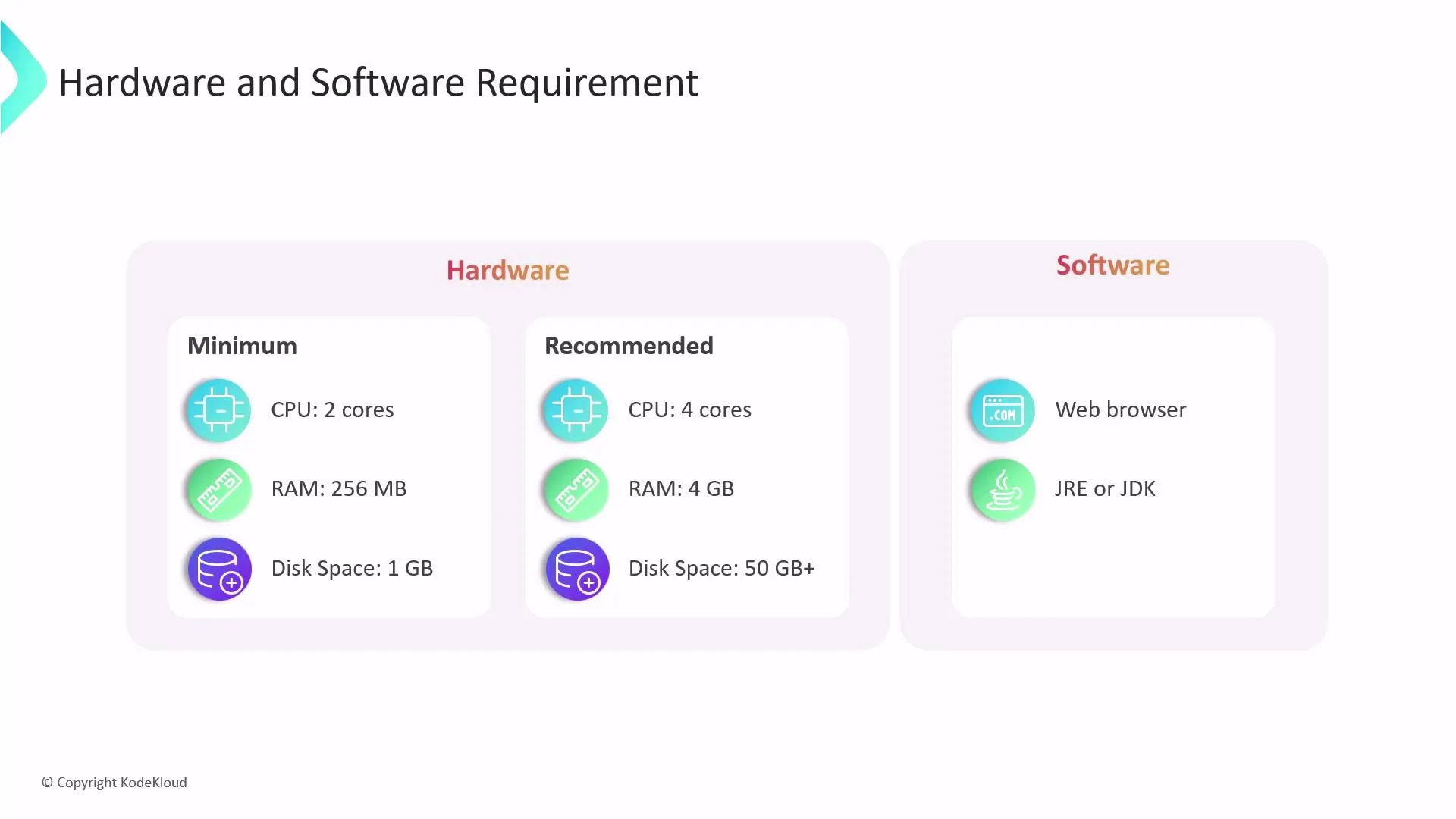
Jenkins is a Java application and operates identically regardless of how it’s installed. Common options include:
- Linux Native Package (APT/YUM): Installs Jenkins as a native
systemdservice. - WAR File: Direct Java execution (
java -jar jenkins.war). - Docker: Highly recommended. Running Jenkins as a container keeps your host system clean.
docker run -p 8080:8080 jenkins/jenkins:ltsgives you an instant CI/CD server.
Project Types in Jenkins
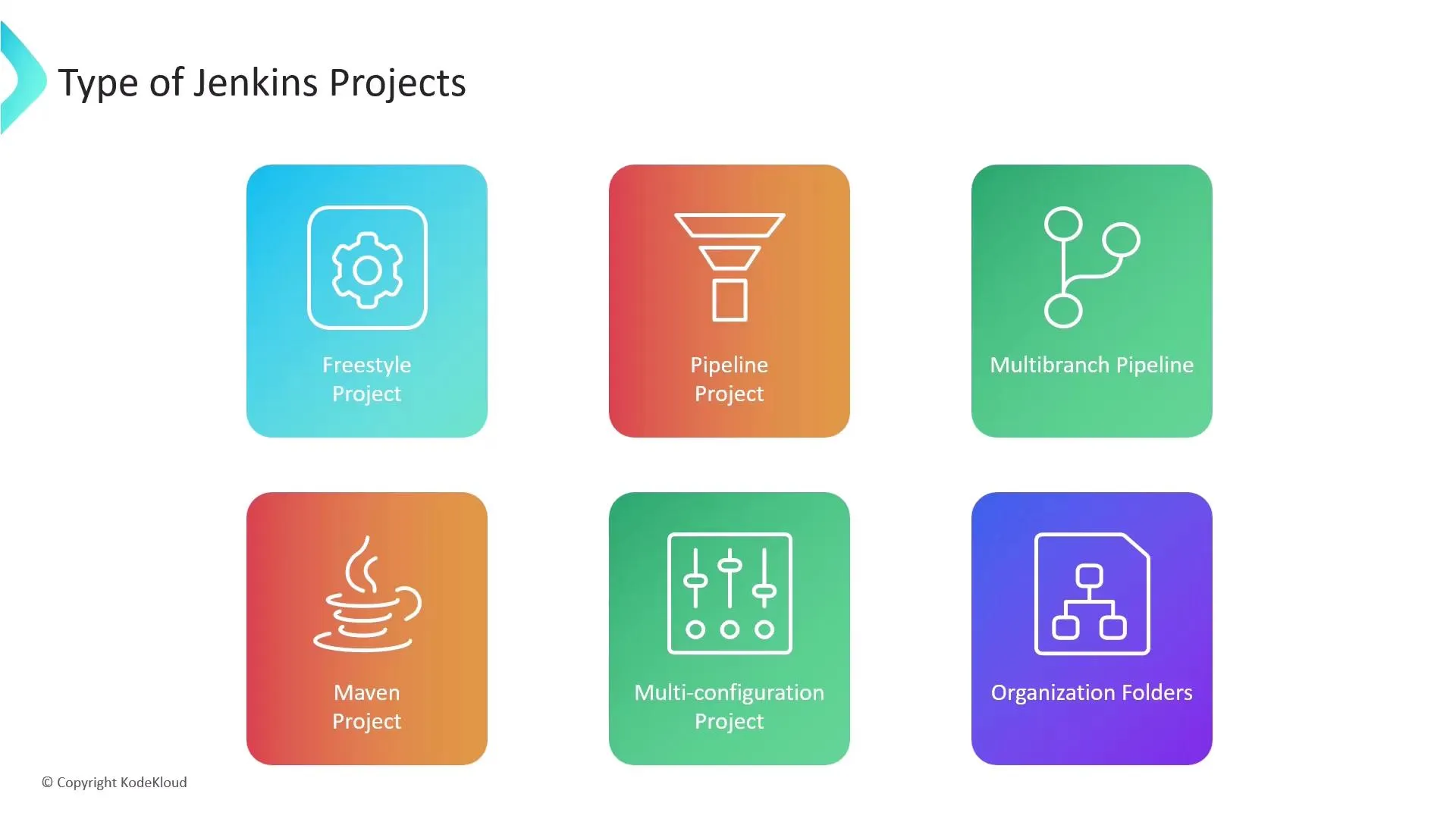
The core unit of work in Jenkins is called a Job or Project.
- Freestyle Project: The classic approach. You configure source code retrieval, build steps, and post-build actions strictly through the Jenkins web GUI.
- Pipeline: Modern Jenkins. You write your build logic in a
Jenkinsfile(code) and store it with your source code. - Multibranch Pipeline: Automatically detects branches in Git and spins up dynamic CI/CD pipelines for each branch.
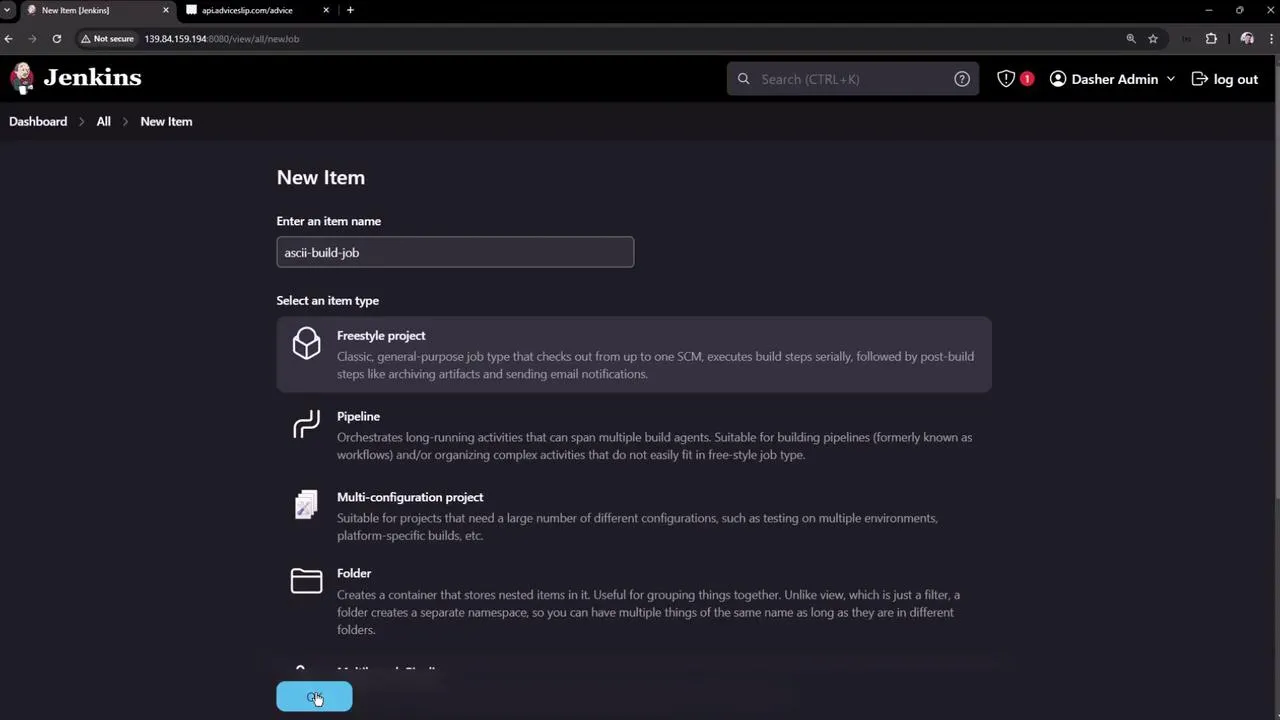
Freestyle Projects: Chaining & Limitations
Freestyle projects execute shell commands sequentially. If you attempt a multi-stage deployment (Build -> Test -> Deploy) inside a single Freestyle job, a single script failure crashes the entire process and tangles your code logic.
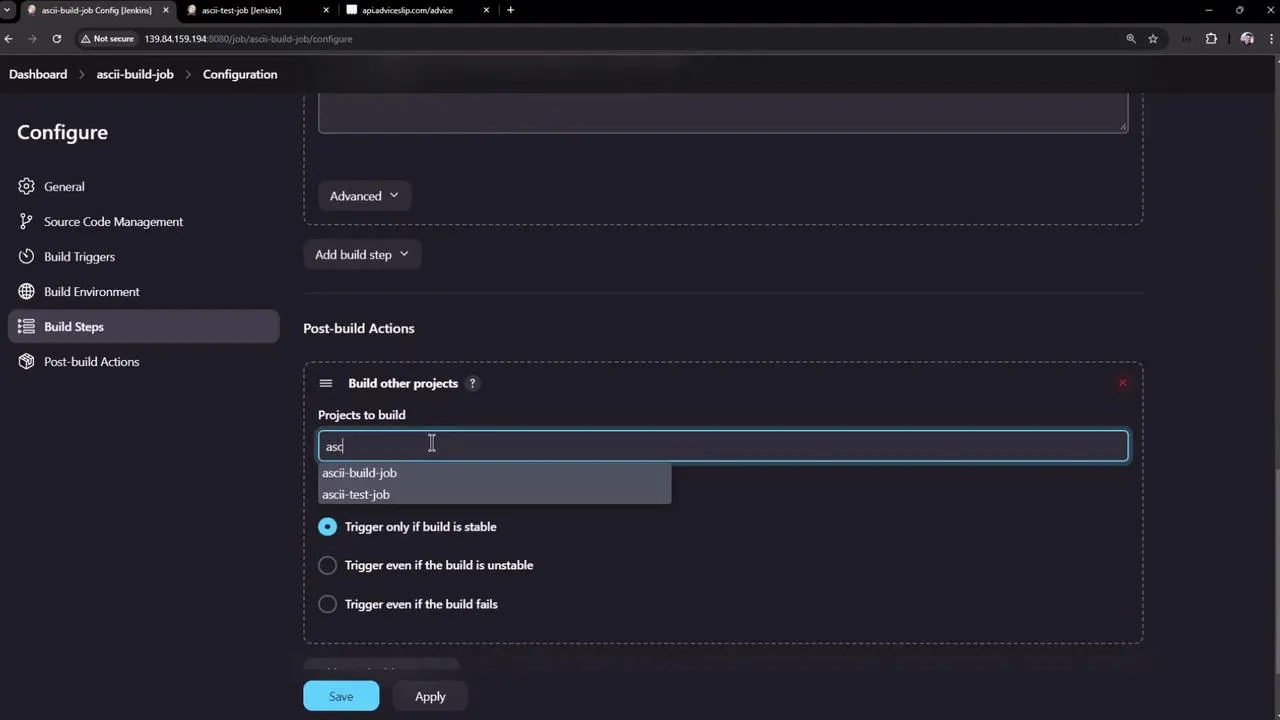
Instead, you can split them and chain them using Post-Build Actions (e.g., “Build other projects”):
ASCII-Build-Jobfinishes -> TriggersASCII-Test-JobASCII-Test-Jobfinishes -> TriggersASCII-Deploy-Job
The Workspace Isolation Problem
When chaining Freestyle jobs to form pipelines, you encounter a strict architectural rule: Workspace Isolation.
The Build job saves its files in its own isolated directory. When the Test job starts, it cannot see the files the Build job generated. It receives a fresh, blank workspace.
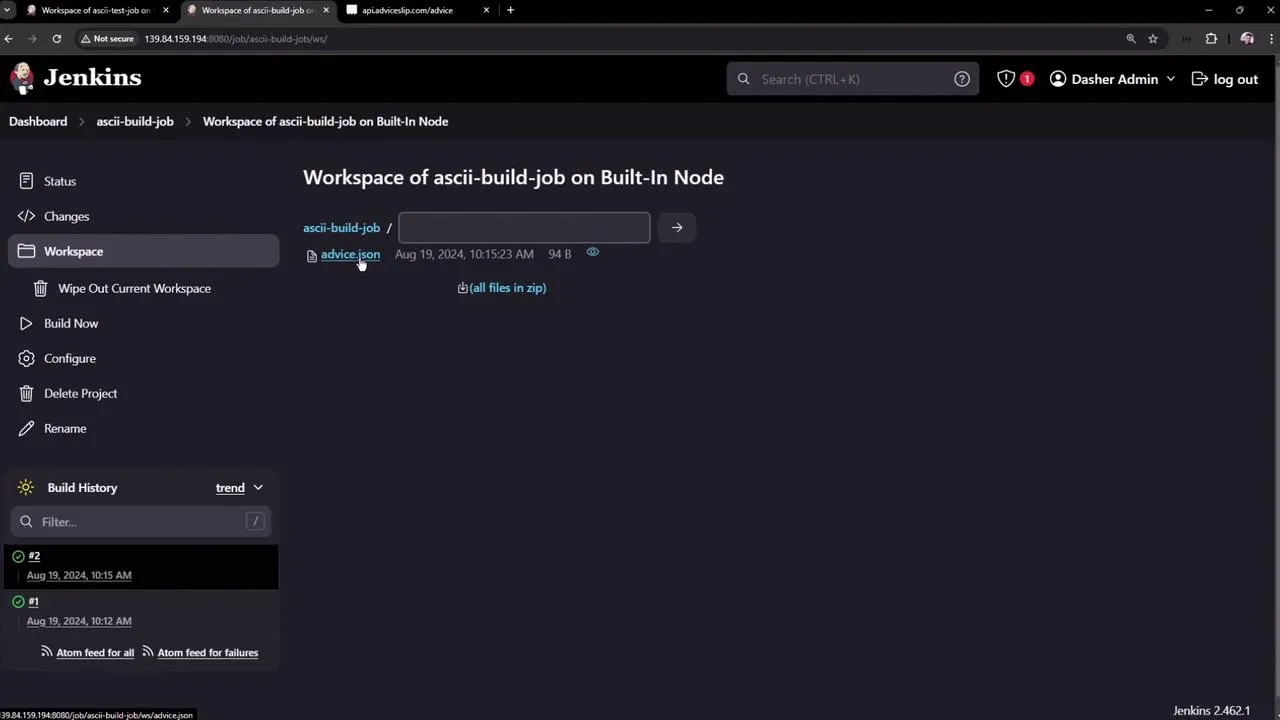
Solution: To pass files between separate Freestyle Jobs, you must archive and share them explicitly using the Copy Artifact Plugin, or completely upgrade to using modern Jenkins Pipelines.
Quick Ops Commands
# Service (typical Linux package install)sudo systemctl status jenkinssudo systemctl restart jenkins
# Logssudo journalctl -u jenkins -f