Kubernetes — Example voting app (walkthrough)
Classic multi-tier demo: vote UI, Redis, worker, Postgres, results — how traffic and DNS fit together
The Docker example voting app is the usual “see the whole stack on Kubernetes” exercise. It ties together Pods/Deployments, ClusterIP (internal data plane), and NodePort (browsers hitting the cluster).
What you are deploying
| Piece | Role |
|---|---|
| vote | Python UI — submits a vote to Redis |
| redis | In-memory queue of pending votes |
| worker | Pulls from Redis, writes counts into Postgres (no Service — nothing to curl) |
| db | Postgres — durable totals |
| result | Node UI — reads Postgres and shows percentages |
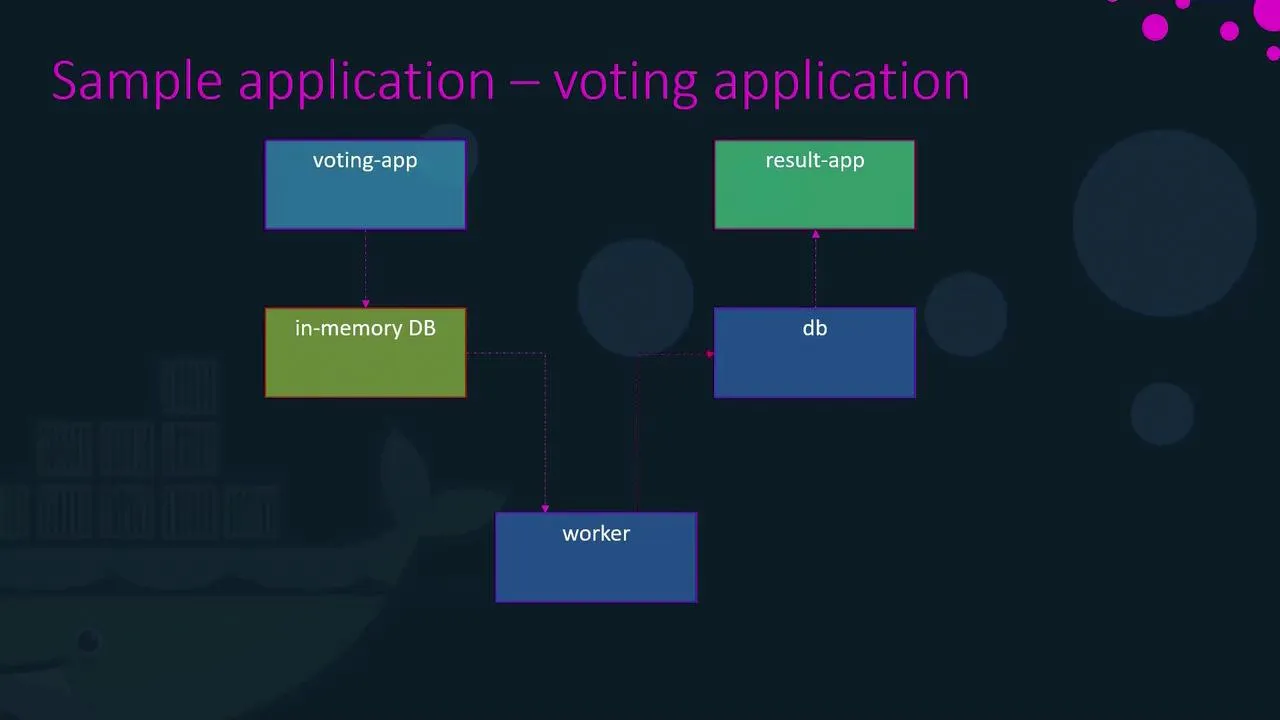
Request path (mental model for revision)
- Browser hits vote (NodePort) → vote pod pushes work into redis using DNS name
redis. - worker resolves
redisanddb, drains Redis, updates Postgres. - result reads from
dband shows cats vs dogs.
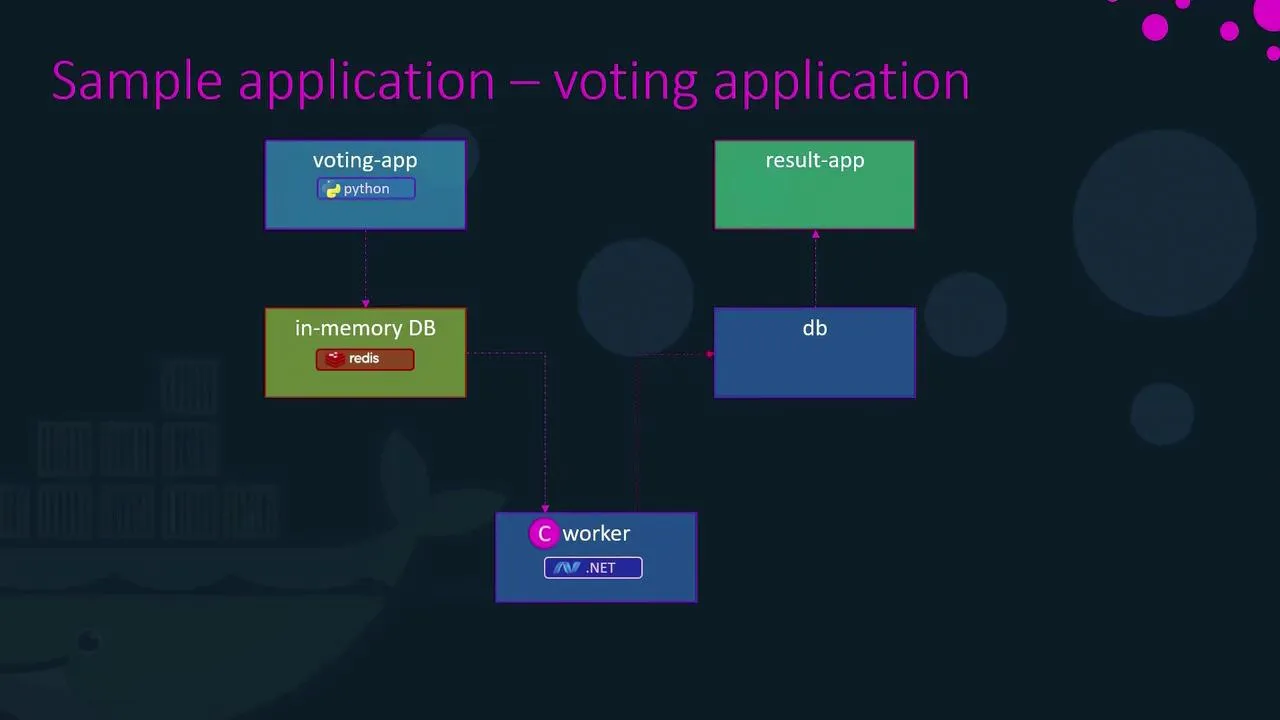
Kubernetes mapping
- Internal only: Services named
redisanddb(ClusterIP). Any pod in the namespace resolves those names to the right endpoints — this is why hard-coded hostnames in the sample code line up with Service.metadata.name. - From outside the cluster: Services for vote and result use NodePort (or a cloud LoadBalancer in front of the same idea).
- Worker: still a Deployment/Pod; it only makes outbound connections, so it does not need its own Service.
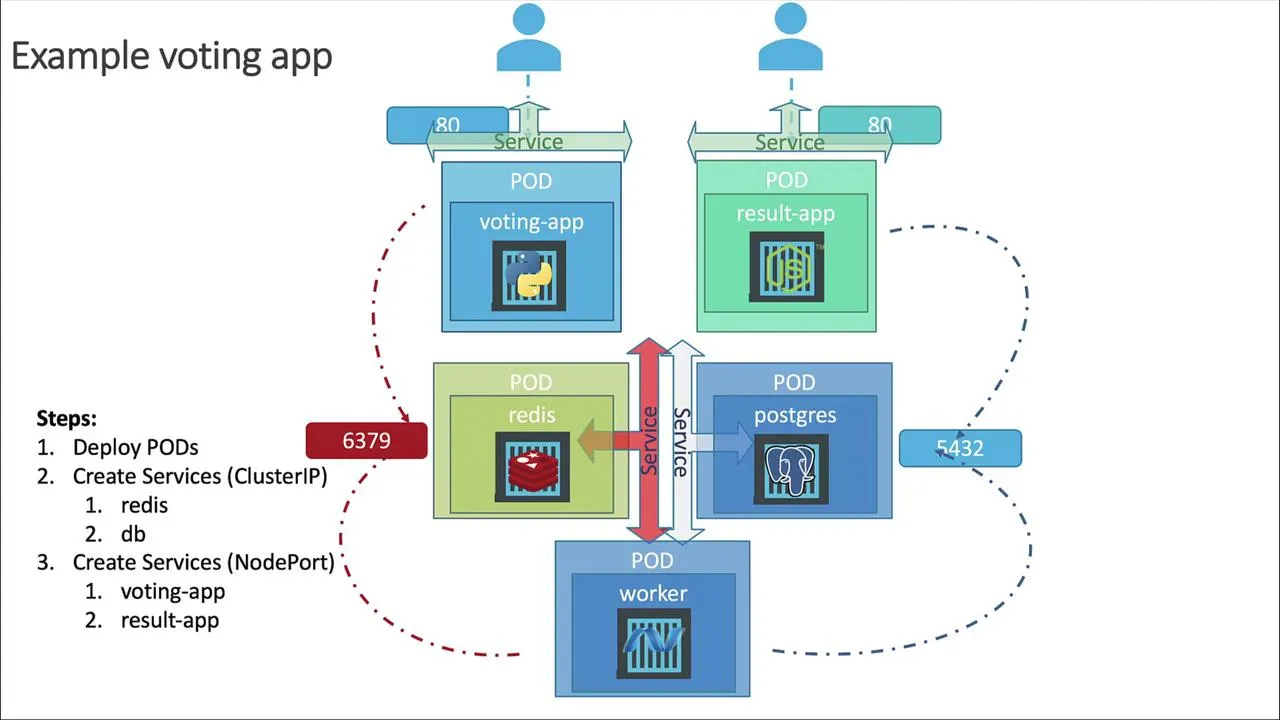
Hands-on (minimal path)
Use the maintained manifests from the repo (they track image names, ports, and labels):
https://github.com/dockersamples/example-voting-app/tree/main/k8s-specifications
Suggested apply order (from a checkout of the repo, inside k8s-specifications/):
git clone https://github.com/dockersamples/example-voting-app.git --depth 1cd example-voting-app/k8s-specifications
kubectl apply -f redis-deployment.yaml -f redis-service.yamlkubectl apply -f db-deployment.yaml -f db-service.yamlkubectl wait --for=condition=available deployment/db --timeout=120skubectl apply -f worker-deployment.yamlkubectl apply -f vote-deployment.yaml -f vote-service.yamlkubectl apply -f result-deployment.yaml -f result-service.yamlkubectl get pods,svc
On Minikube, open the two UIs without guessing node IPs:
minikube service vote --urlminikube service result --urlCast a vote, refresh the result page — you should see totals move (worker may take a few seconds on first run).
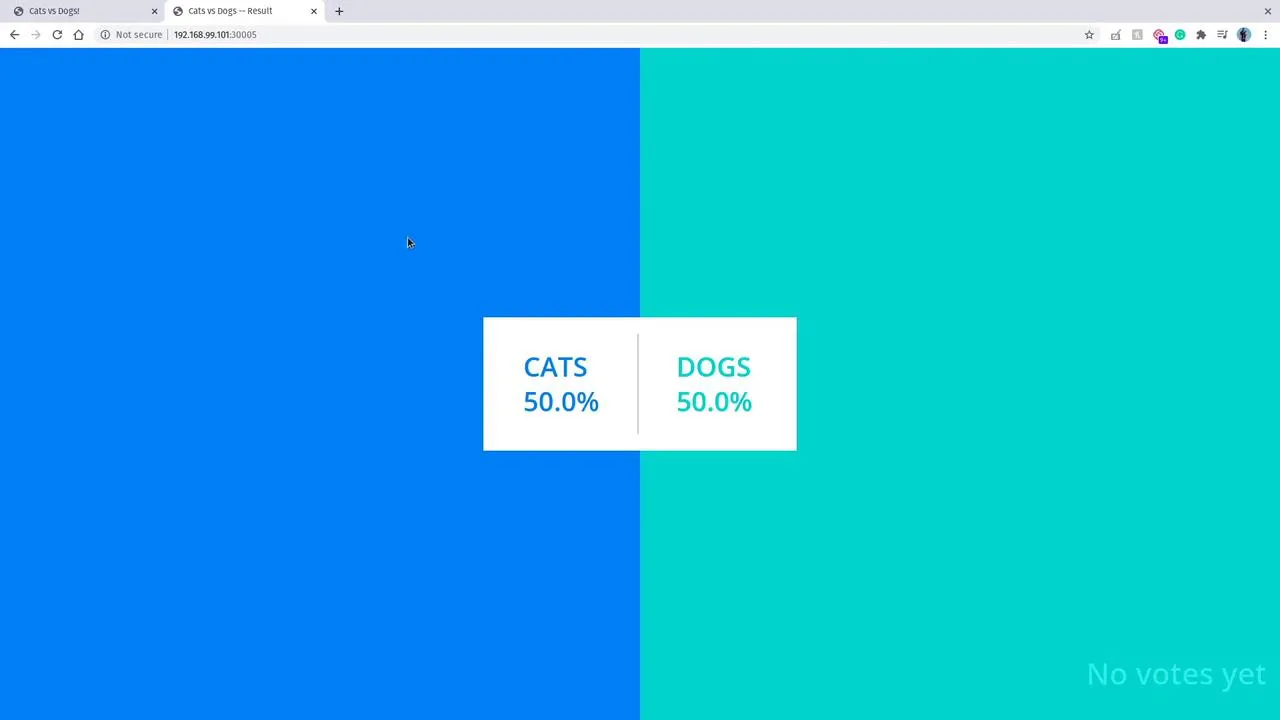
If you follow KodeKloud labs instead
Their layout is the same idea (five workloads, redis and db service names, NodePort front ends). Image names differ (KodeKloud/... tags in the course notes); keep Service DNS names and selectors/labels consistent with whatever YAML you apply.
After it works
Redo the same diagram on a blank page from memory: who talks to whom, and which objects are ClusterIP vs NodePort. Then swap bare Pods for Deployments in the repo manifests — that is the production-shaped version of the same story (scaling + rollouts), without changing the Service model.
Same app on managed cloud (GKE / EKS / AKS)
For LoadBalancer-style exposure, console walkthroughs, and cleanup on Google Cloud, AWS, and Azure, continue with the Kubernetes on the cloud notes in this section (overview, then GKE, EKS, AKS).