Amazon Elastic Kubernetes Service (EKS)
Prerequisites, EKS cluster + node group, kubeconfig, deploy the voting app on AWS
EKS runs the Kubernetes control plane in AWS; you add managed node groups (or Fargate profiles) for workloads. You pay for the control plane per hour plus worker EC2 (or Fargate) usage.
Prerequisites
- An AWS account and permission to create EKS clusters, IAM roles, and VPC networking.
- kubectl installed locally (or use CloudShell).
- AWS CLI v2 configured (
aws configure) with credentials that can calleks,iam, andec2. - For the console flow: an EKS cluster IAM role, a node instance role for the node group, a VPC with subnets (often you start from the EKS wizard defaults), and optionally an EC2 key pair if you want SSH to nodes (not required for kubectl-only workflows).
Install or verify AWS CLI
aws --versionOn macOS you can install the v2 package from AWS; on Linux use your distro package or the official zip. After install, run aws configure.
Point kubectl at EKS (after cluster exists)
Many tutorials keep kubectl in ~/bin:
mkdir -p "$HOME/bin"# place kubectl binary in ~/bin if neededexport PATH="$PATH:$HOME/bin"kubectl version --clientCreate the cluster (console outline)
- Services → Elastic Kubernetes Service → Add cluster → Create.
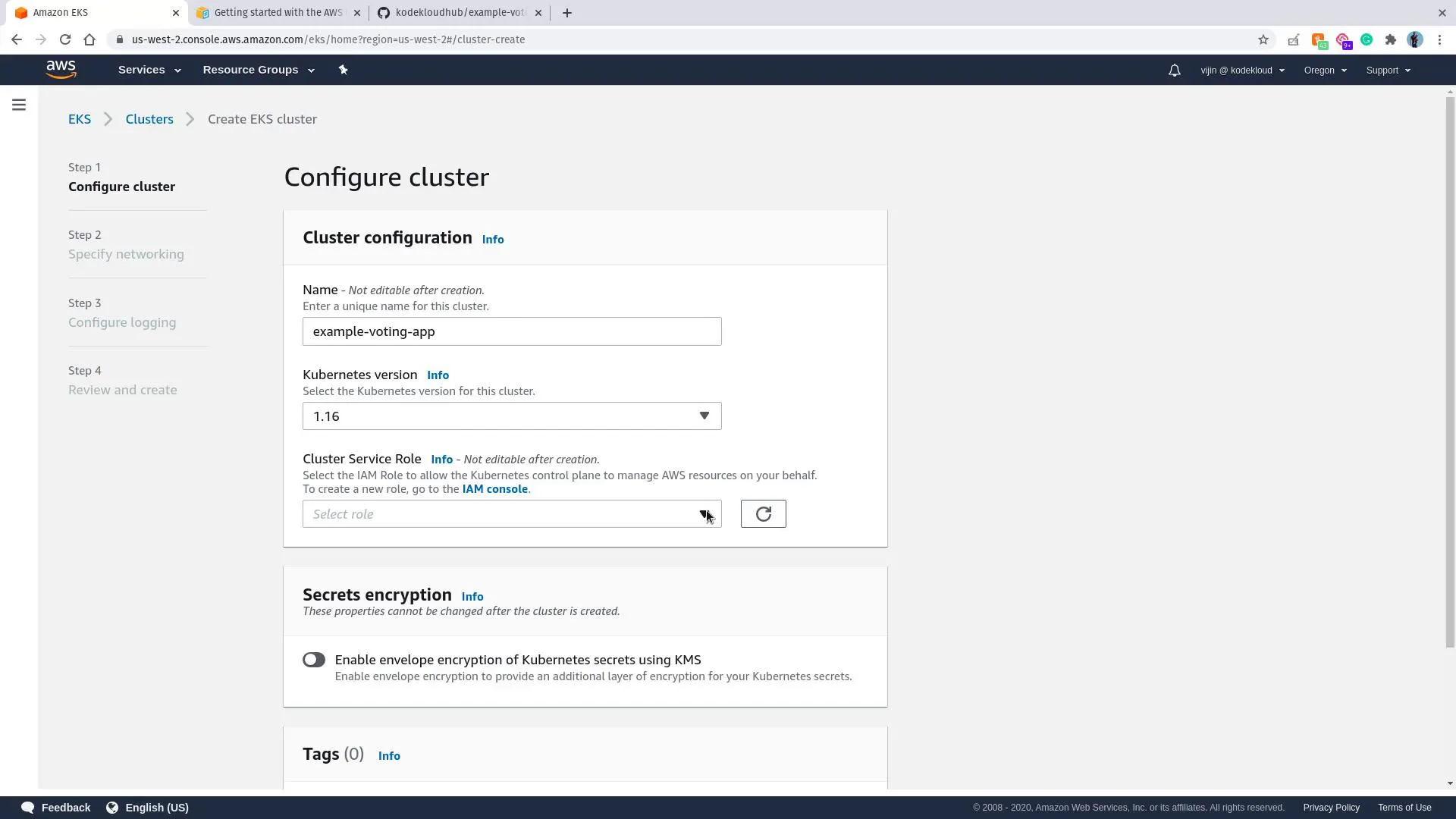
- Cluster configuration: name (e.g.
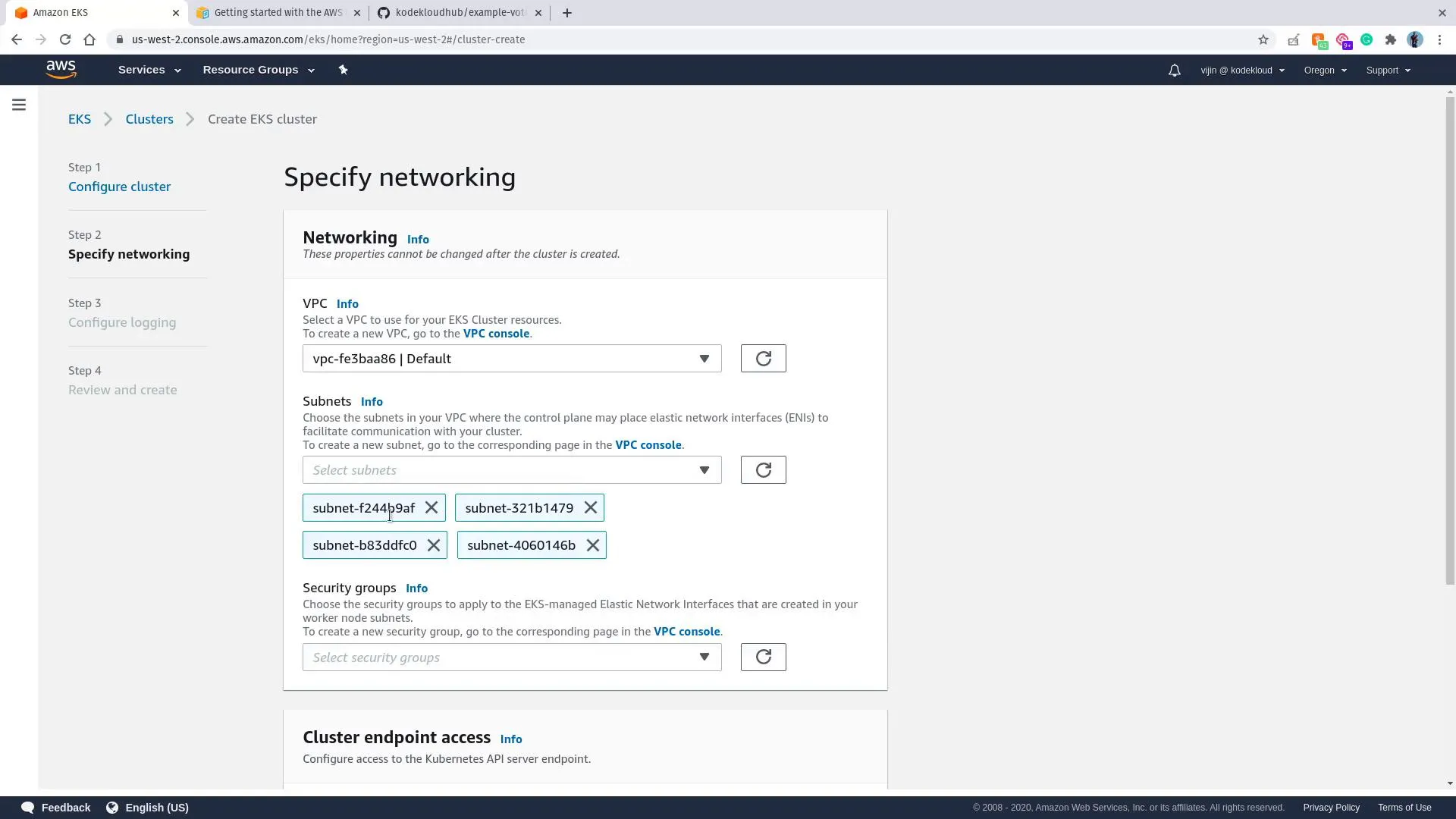
example-voting-app), Kubernetes version, cluster IAM role, optional secrets encryption. - Networking: pick a VPC and subnets that can reach the EKS API and the internet (or your private design).
- Review and Create; wait until the cluster is Active.
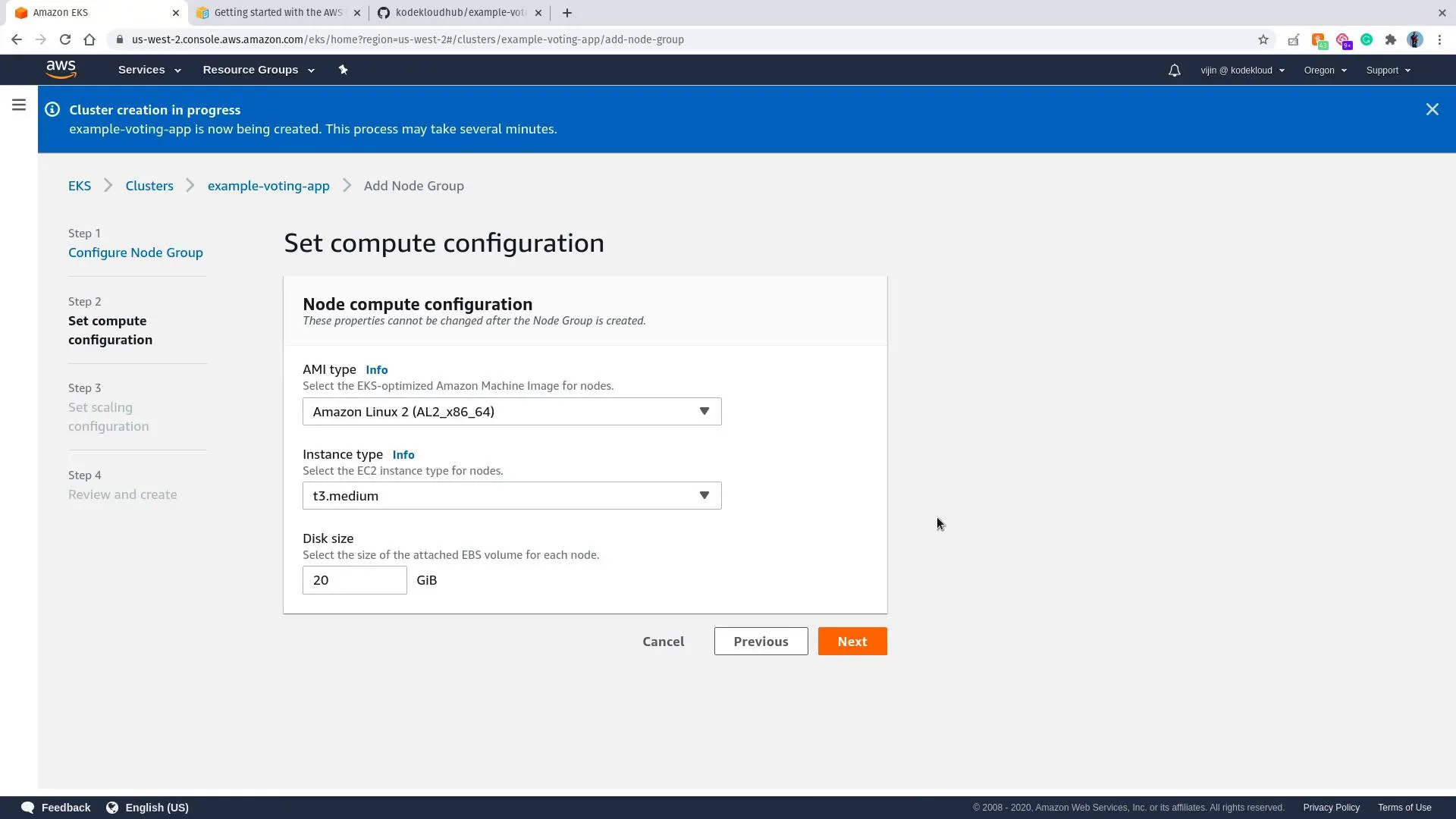
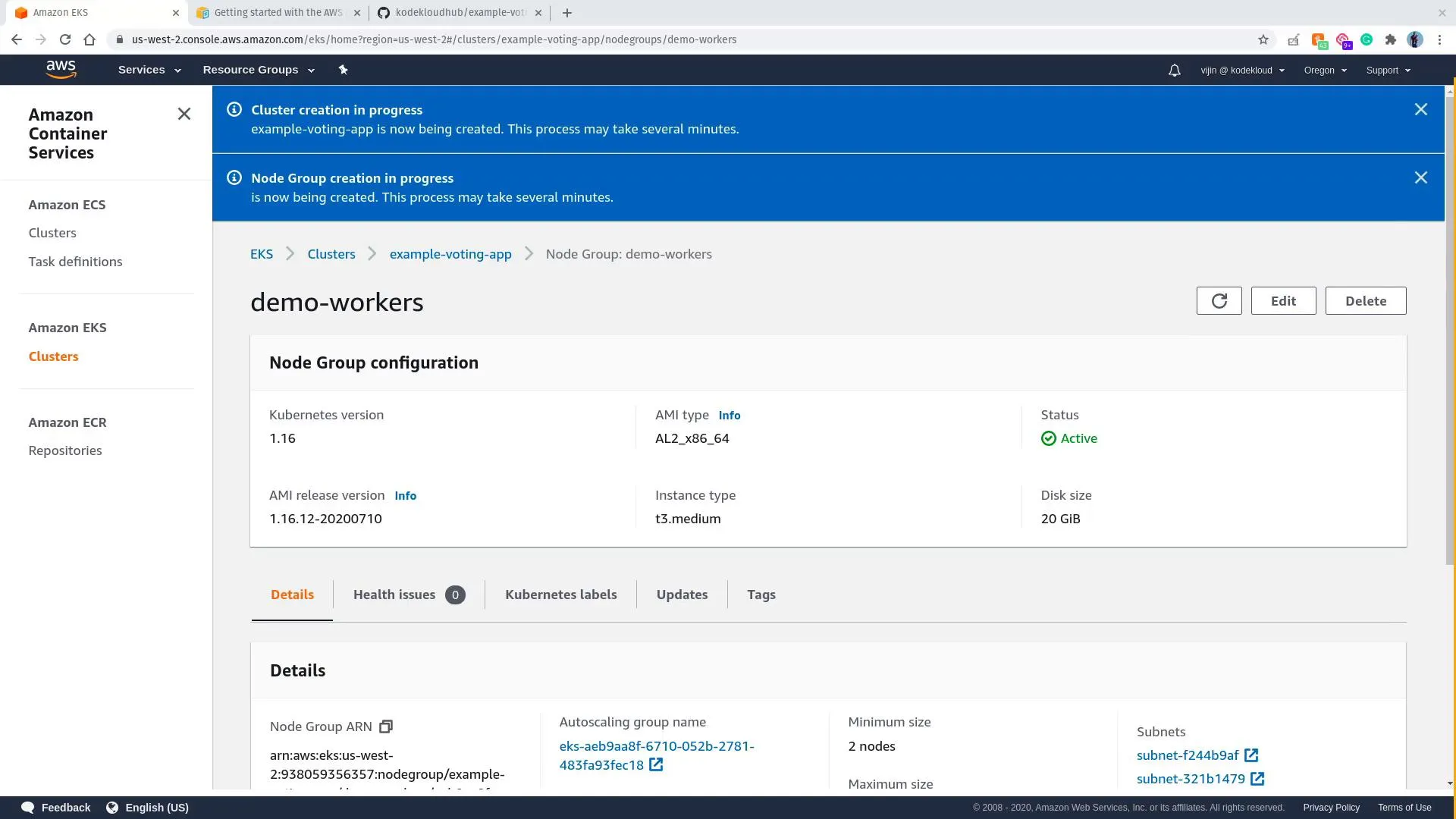
Add a node group
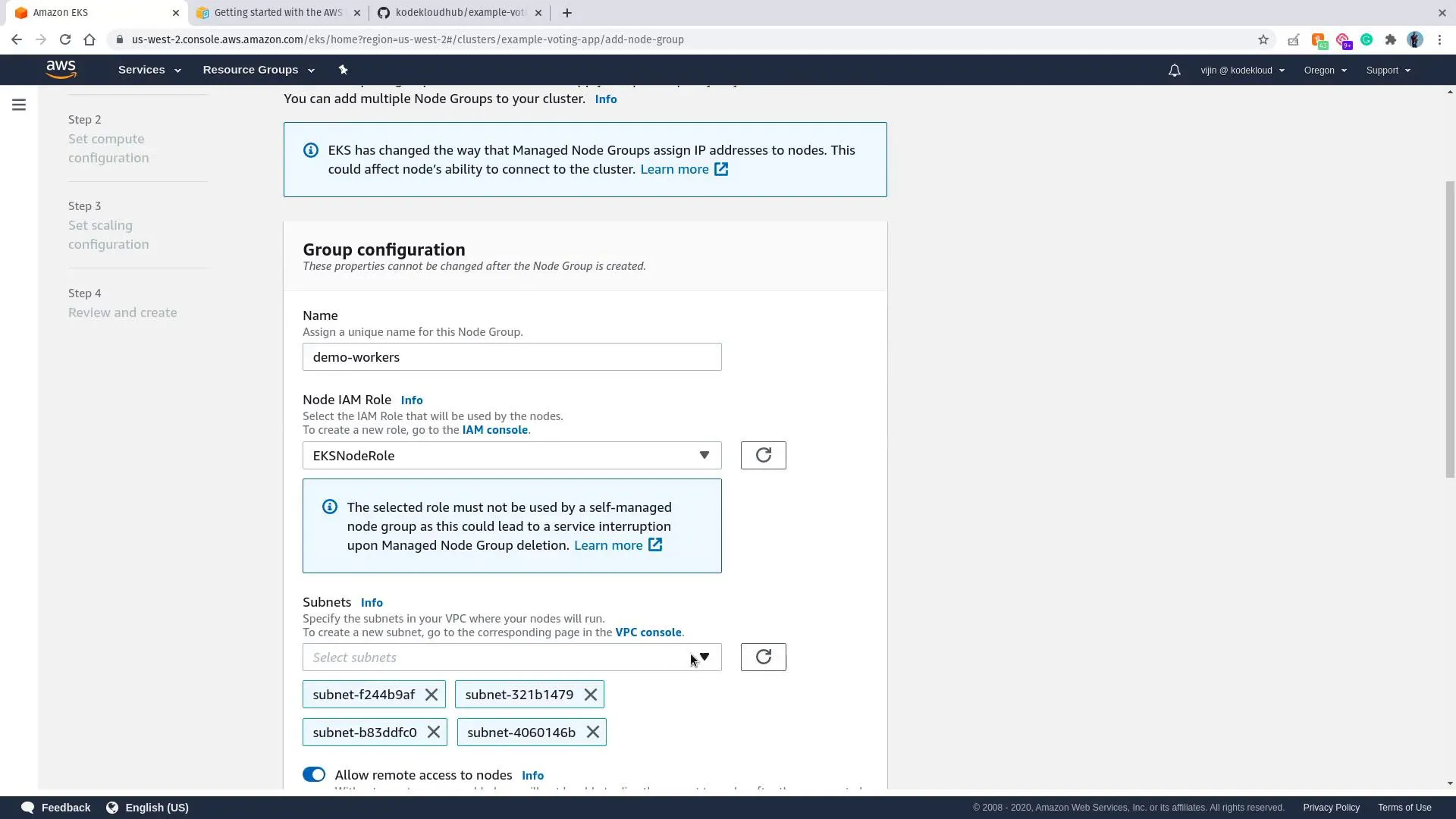
- Open your cluster → Compute → Add node group.
- Name the group, attach the node IAM role, choose subnets.
- Set AMI family, instance type, disk, scaling (min/max/desired).
- Create and wait until nodes join.
Configure kubeconfig
Replace region and cluster name with yours:
aws eks --region us-west-2 update-kubeconfig --name example-voting-appkubectl get nodesYou should see your managed nodes. The control plane is not listed as nodes—it is operated by AWS.
Deploy the voting application
Clone the public sample (not any private fork):
git clone https://github.com/dockersamples/example-voting-app.git --depth 1cd example-voting-app/k8s-specificationsApply manifests in dependency order (data stores before worker, then apps), for example:
kubectl apply -f redis-deployment.yaml -f redis-service.yamlkubectl apply -f db-deployment.yaml -f db-service.yamlkubectl wait --for=condition=available deployment/db --timeout=180skubectl apply -f worker-deployment.yamlkubectl apply -f vote-deployment.yaml -f vote-service.yamlkubectl apply -f result-deployment.yaml -f result-service.yamlSwitch vote / result Services to type: LoadBalancer if your copy still uses NodePort and you want AWS ELB-style URLs (same idea as the GKE note).
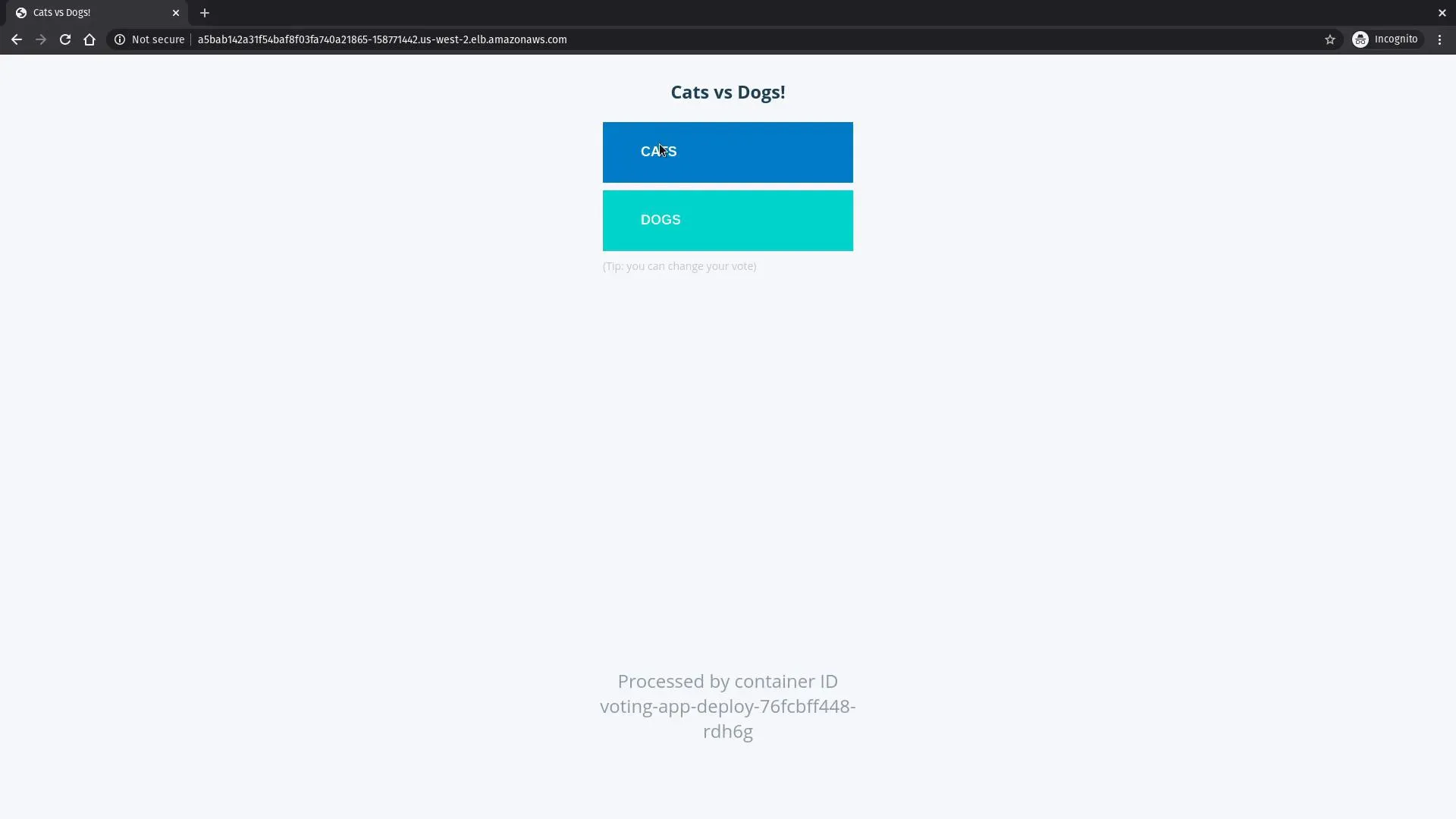
kubectl get deployments,svcWhen EXTERNAL-IP or hostname is set on the LoadBalancers, open the voting UI:
Cleanup
Delete the node group, then the cluster, and remove orphaned load balancers / security groups so costs stop.